
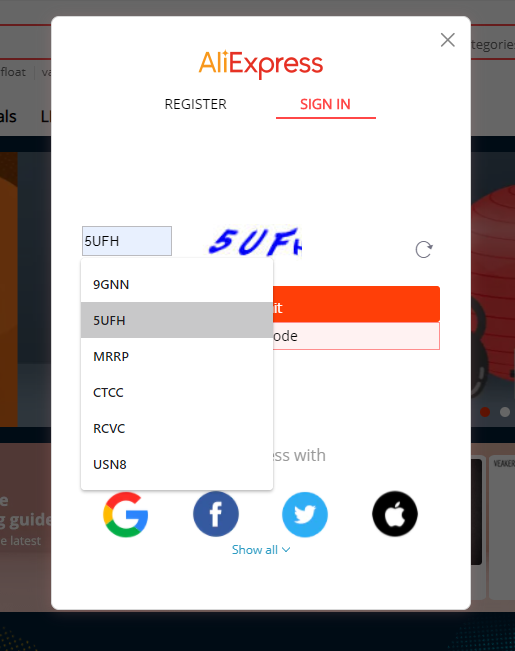
I recently noticed (thanks to Chrome's form cache) that AliExpress login captchas were not random. Instead, it seems they are using a set of pre-generated images and sending users a random one from this set. This is, of course, not the right way to use captchas, especially if we add the fact that those are text captchas, quite easy to solve with OCR.
My goal here is not to demonstrate a successful attack against AliExpress's login form, but rather just showing a simple PoC to demonstrate these captchas' weaknesses.
I have reported it to AliExpress through their bug bounty program.
Building a table of known captchas
The first step was knowing if the captcha request required authentication. This is the original request proxied:
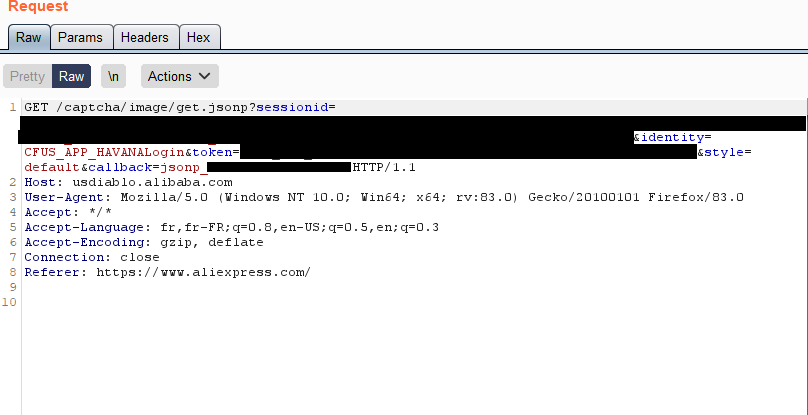
One of the first things I do when examining a request is stripping manually each GET or POST parameter, and HTTP header, in order to discriminate the ones needed by the application from the others. In this case, some parameters are needed, but they don't need to have a valid value. We use the following request to get captchas:
GET /captcha/image/get.jsonp?sessionid=random&identity=data&style=default&callback=callback HTTP/1.1
Host: usdiablo.alibaba.com
User-Agent: Mozilla/5.0 (Windows NT 10.0; Win64; x64; rv:83.0) Gecko/20100101 Firefox/83.0
Accept: */*
Accept-Language: fr,fr-FR;q=0.8,en-US;q=0.5,en;q=0.3
Accept-Encoding: gzip, deflate
Connection: close
Referer: https://www.aliexpress.com/
The captchas received always contain 4 alphanumeric characters, in capital letters:

We can solve them using tesseract:
tesseract --psm 8 captcha.jpg - --dpi 100
— MRRP
There are ways to improve tesseract's accuracy by modifying the image. Here are two very basic transformations:
convert captcha2.jpg -type grayscale -quality 100 -density 300 grayscale.jpg
convert captcha2.jpg -level 50% -quality 100 -density 300 contrast.jpg
In this case it did not really help, but it is a good tip to keep in mind when handling captchas.
Now, to make this more efficient, we can optimize the captcha's lookup time and save precomputed results. A problem quickly came up: two similar images had different checksums (I wanted to use the image's MD5 for indexing). I dug a little deeper to understand why these pictures, yet alike pixel per pixel, were different:
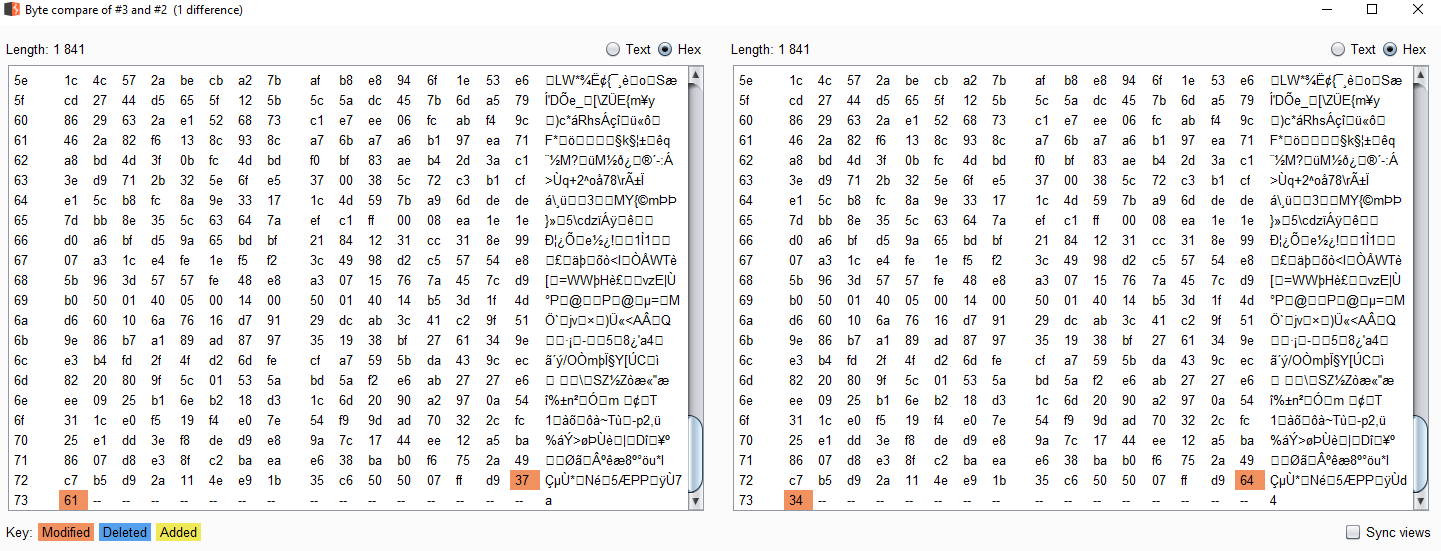
The server generates different images by modifying the two last bytes of the picture! It is actually appending one hex-encoded random byte. The changes are impossible to perceive, there is no impact on the image, but the hashes differ. The reason for this is that FF D9 marks the end of the JPG file — the trailing bytes can be ignored.
I decided to opt for a simpler way to index my files: the number of random bytes is always the same, and pictures displaying different captchas have different sizes. So I can index my pictures using their byte count!
capt_hash[1571] = "7FKT"
capt_hash[1749] = "9GNN"
capt_hash[1799] = "DBPR"
capt_hash[1818] = "UH9G"
capt_hash[1841] = "RCVC"
capt_hash[1867] = "MRRP"
capt_hash[1900] = "EFU2"
capt_hash[1927] = "USN8"
capt_hash[1935] = "BWSJ"
capt_hash[1965] = "5UFH"
Simply put, no need to solve the captcha anymore — the length of the image received is enough to know what the input should be!
Limitations
The automatic resolution of captcha challenges using tesseract is not very accurate for the moment. Building the dictionary manually is not very hard as the number of captchas is very limited. But to take this further, the OCR method must be improved.
There seems to be extra protections against this form, which I did not explore. In fact, when sending the captcha's response, it is also expected to send a parameter named captchaToken:
{"answer":"DBPR","captchaToken":"S10bb4dcdf0b3252825a76f4f803310a277f618d6b..."}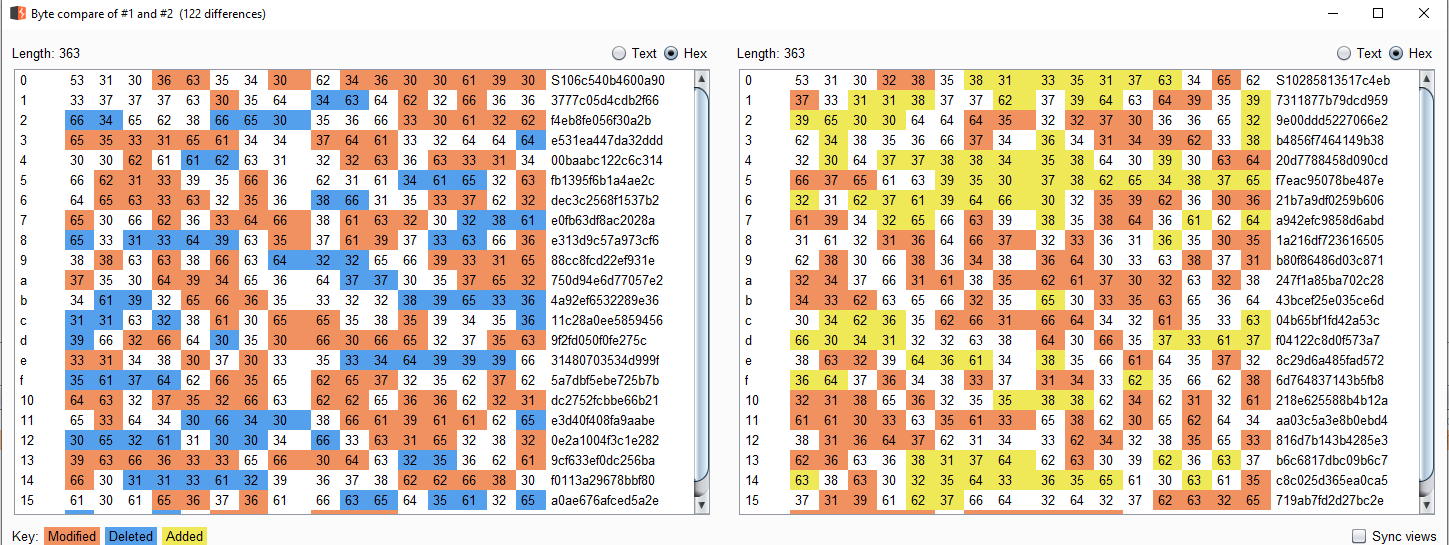
This token comes with the captcha image file, and it does not really prevent automatic form submission. There are many other parameters at stake in these requests (like a signature for example) and not knowing their exact roles, I will not mention them here.
Conclusion
While no tangible exploit directly comes from this study, I find it interesting to examine the way AliExpress generated their captchas. It is important to notice the effort to add two random bytes after EOI in the captcha JPEG, as an attempt to make each file unique and probably defeat checksum verifications. One potential use for this outcome — solving captchas quickly and deterministically — would be to take place in a full register/login automation process.
References
- Tesseract OCR Options
- Image processing techniques for solving captchas — Mathieu Larose
Stay classy netsecurios!
Need a security audit or tailored cybersecurity support?
Explore our services →