

https://github.com/therealunicornsecurity/tricard
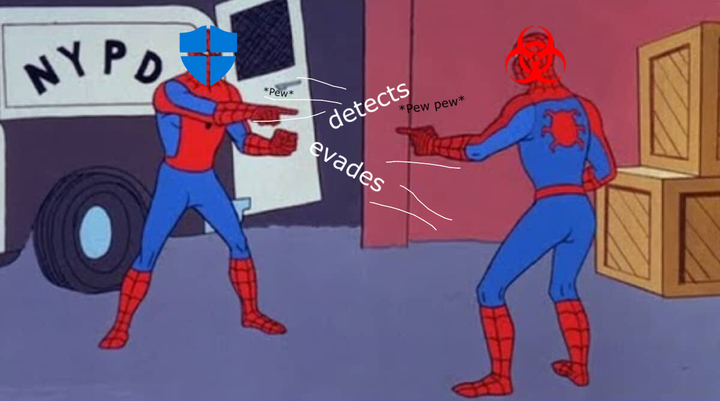
→ Security software: I will protect your system and defend against malicious activity!
→ Malware: I will detect and evade your defenses!
→ Security software: I will then detect your detection mechanisms!
→ Malware: I will .. uh..
Origins and purpose
Tricard was initially a simple recursive function for querying the registry. During red team engagements, it is quite common to try and understand what the devices are used for. One of the most common uses of this program was to find configurations linked to PuTTY, in order to identify system administrator's workstations. After being deployed many times for gathering information, it was noticed that our collect server was receiving surprising information: it was unintentionally collecting data coming from malware sandboxes. Our binary was analyzed by the tools deployed in our customers' networks, and their sandboxes were also executing our program. That's when we found out another potential use for this simple auditing tool.
Compile and dispatch
All data is concatenated in a JSON array. As it can be very heavy very quickly, the JSON payload POST requests are compressed using Zlib. The client and server are configured to communicate over HTTPS.
Collector functions
Each collector function appends data in a JSON buffer passed as a char* parameter.
1. ListProcessesToJson
Lists running processes on the system. Appends process information, including process name, to a JSON-formatted string.
2. ListLoadedModulesToJson
Lists loaded modules (DLLs) in running processes. Appends module information to a JSON-formatted string.
3. GetPSHistory
Retrieves PowerShell command history. Encodes history in base64 and appends it to a JSON-formatted string.
4. GetSysinfo
Retrieves various system information (OS version, architecture, user information). Encodes information in base64.
5. GetNetworkInterfacesJSON
Retrieves network interface information (MAC addresses, IP addresses).
6. GetBasicInfo
Retrieves basic system information (computer name, username, domain). Initializes the JSON data structure.
7. LoopFolders
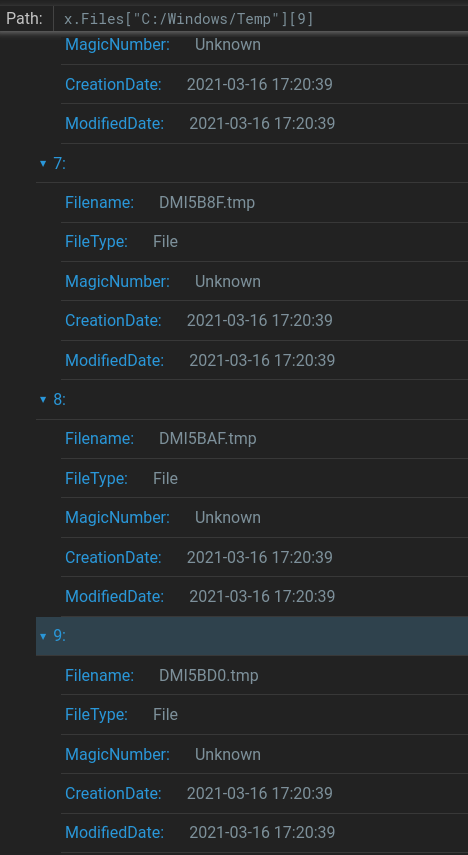
Loops through specified folders (temporary folder and desktop). Lists files including details like filename, type, magic number, creation date, and modification date.
8. SendGzipCompressedPOSTRequest
Sends a POST request to a specified server with Gzip-compressed data. Uses WinHTTP functions to open a TLS session, connect, and send the request.
9. main()
Orchestrates the collection and transmission of system information. Initiates a Gzip-compressed HTTP/TLS POST request to send the data to a server.
JSON Structure
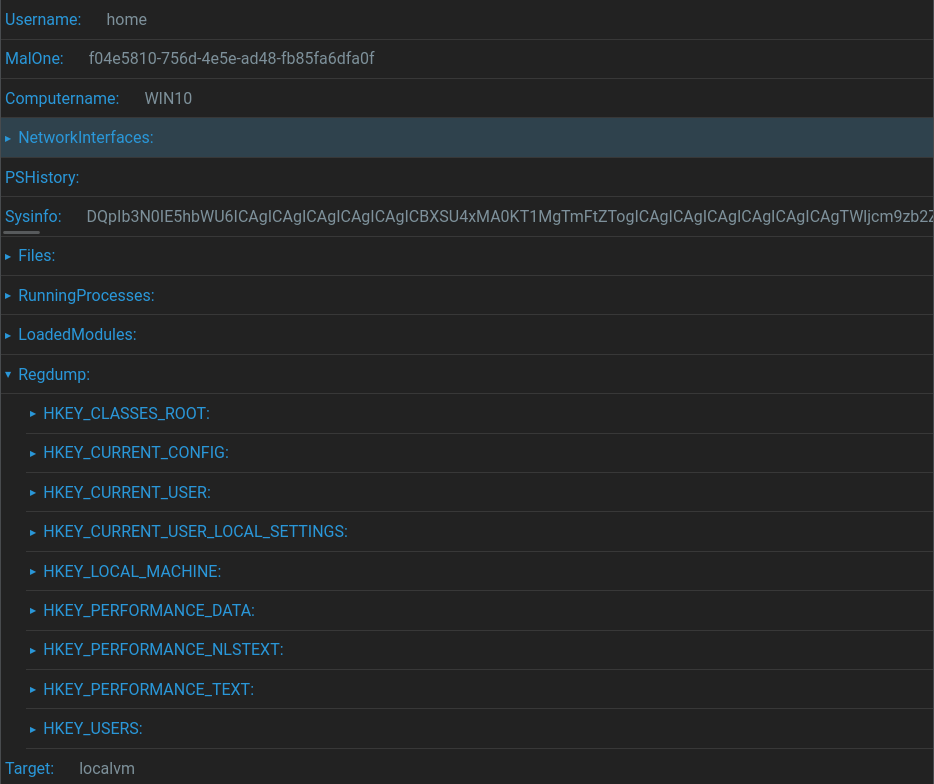
The structure of the JSON file respects the collector functions described above:
- Username (String): The username associated with the data
- MalOne (UUID): Unique identifier associated with the sample
- Computername (String): Name of the computer
- NetworkInterfaces (List): Network interface information including adapter name, description, IP and MAC address
- PSHistory (String): Base64-encoded PowerShell history
- Sysinfo (String): Base64-encoded system information
- Files (Dictionary): File system structure with directory and file details
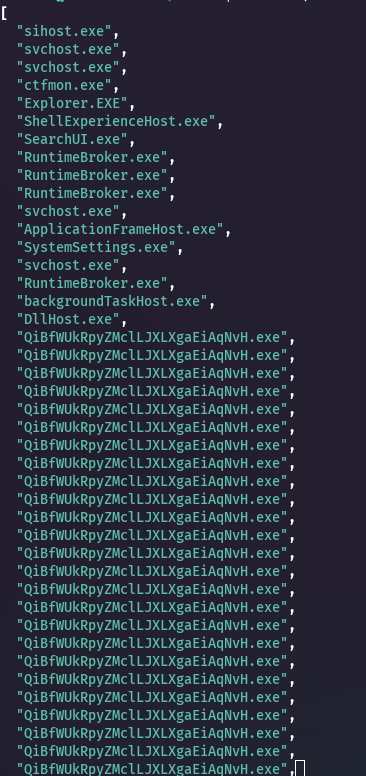
- RunningProcesses (List): Currently running processes
- LoadedModules (List): Loaded modules
- Regdump (Dictionary): Registry dump organized under different hives
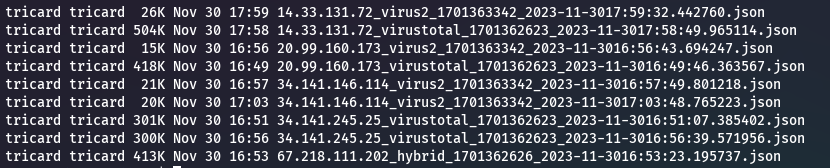
Each received JSON file is named using a specific pattern:
Compiled binaries
Each source file is modified by the dispatcher using sed. It places one UUID in two positions: cookies and JSON payload. This is done to detect systems that go through TLS termination proxies, or use HTTP modules, and rewrite headers.
Binaries are compiled using mingw for Linux:
x86_64-w64-mingw32-g++ -w -static -Os -s tmpsrc/tricard.test.cpp \
  -o tmpbuild/tricard.test.exe -lwinhttp -liphlpapi -lz -lcrypt32 -std=c++14
The original binary is heavy (around 1MB) but can be compressed using UPX or any other packer. However, as Tricard is already flagged by most AV solutions, packing it only makes things worse.
Examples
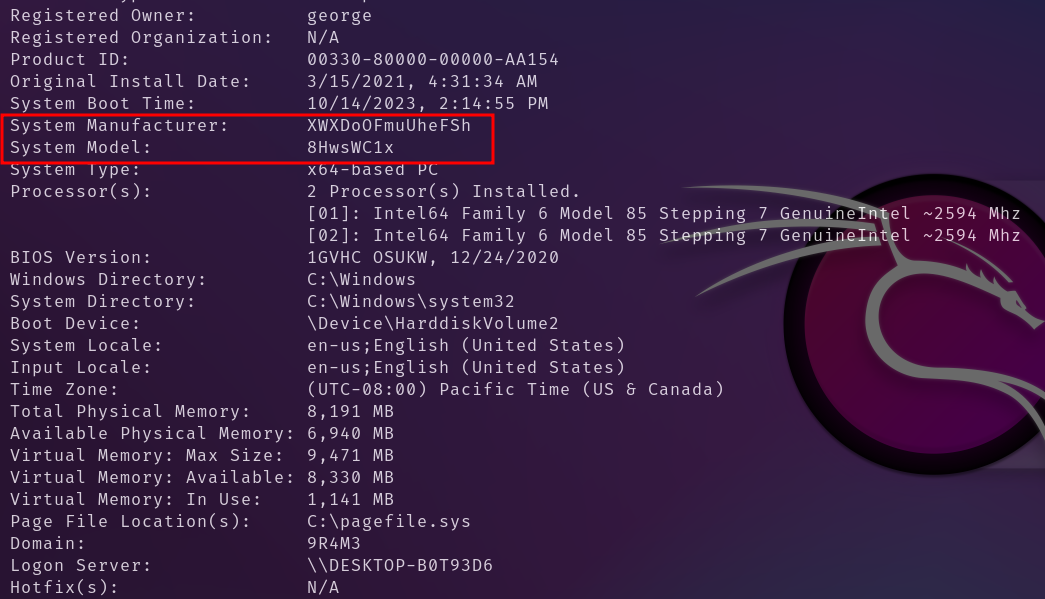
Below are a few examples of blatant sandboxing:
Server setup
Registering a new Tricard sample
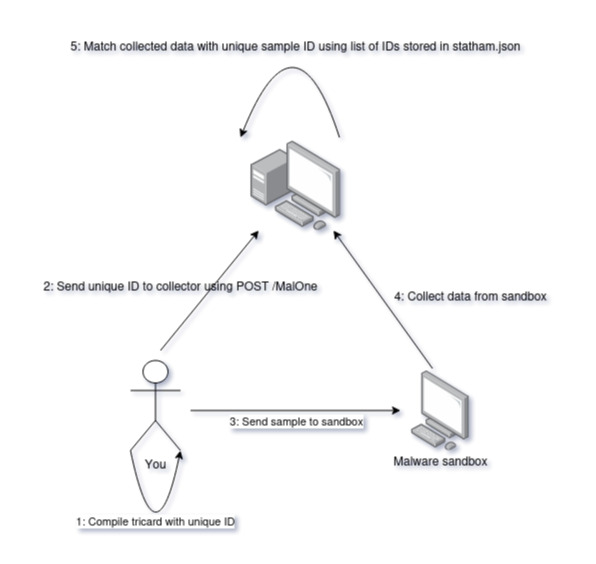
- Step 1: Compile locally using dispatcher.py
- Step 2: Send binary information to the server (MalOne UUID, base64 charset permutation). Each message is signed using HMAC to prevent data pollution
- Step 3: Send sample to sandboxes
- Step 4: Data is collected from backend server (srv.py)
- Step 5: If the UUID of the emitting binary matches one found in statham.json, it is tagged accordingly. If not, it contains the string
__unknowntarget__
Server Endpoints
POST /GetData
Receives compressed data via a POST request. Reads a JSON file ("statham.json") containing the database. Decompresses the received data and matches the MalOne key to the database. If a match is found, updates the data and saves it. If no match is found but JSON data is received, an unknowntarget file is written.
POST /MalOne
Stores newly registered samples. Receives JSON data containing a message and an HMAC. Verifies message integrity using the HMAC with a secret key. If verification succeeds, updates "statham.json" with the new sample information (UUID and base64 charset).
JSON samples database
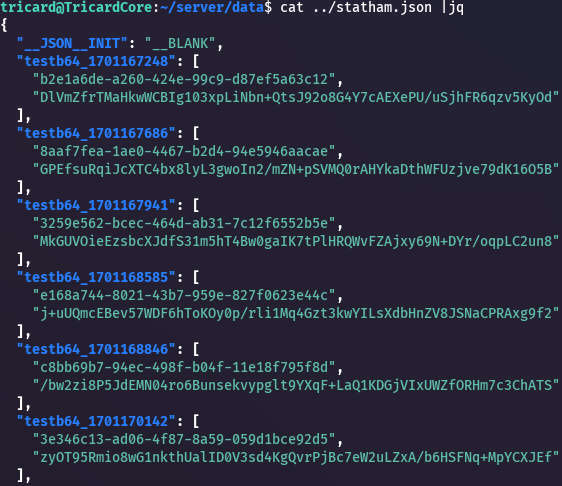
Each new sample is registered with the following information:
- Key: sample name + epoch compilation date
- Values: UUID identifying each sample, base64 charset permutation (used for PowerShell History decoding)
Analysis
The analysis phase is purposely left out of the picture here. In fact, Tricard will most likely still be used for audits and data gathering. After all, it is nothing but an agnostic data collection tool. It is the analysis and what is made out of it that defines its purpose. For that matter, the code has been released, as we would like to see it grow.
References
- MISP Warning Lists
- Malware Tools Collection
- Malware Analysis Resources
- Sandprint — Fingerprinting Malware Sandboxes (research paper that inspired this work)
That's all folks! Stay classy netsecurios, and happy Unicorns day!
December 2023
Need a security audit or tailored cybersecurity support?
Explore our services →