
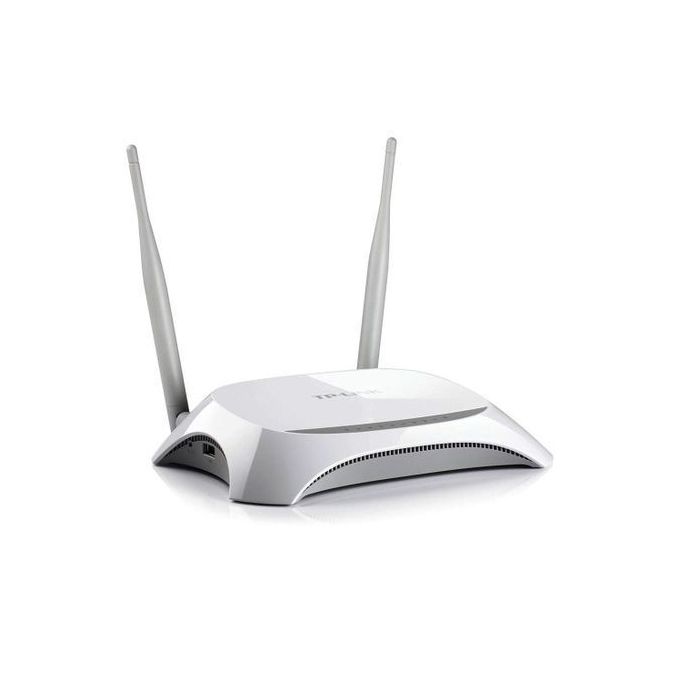
Part 1: Acquiring the firmware
TP-Link firmwares are easy to get as they are free to download online. But that is a bit too easy isn't it? Is there another way to get it?
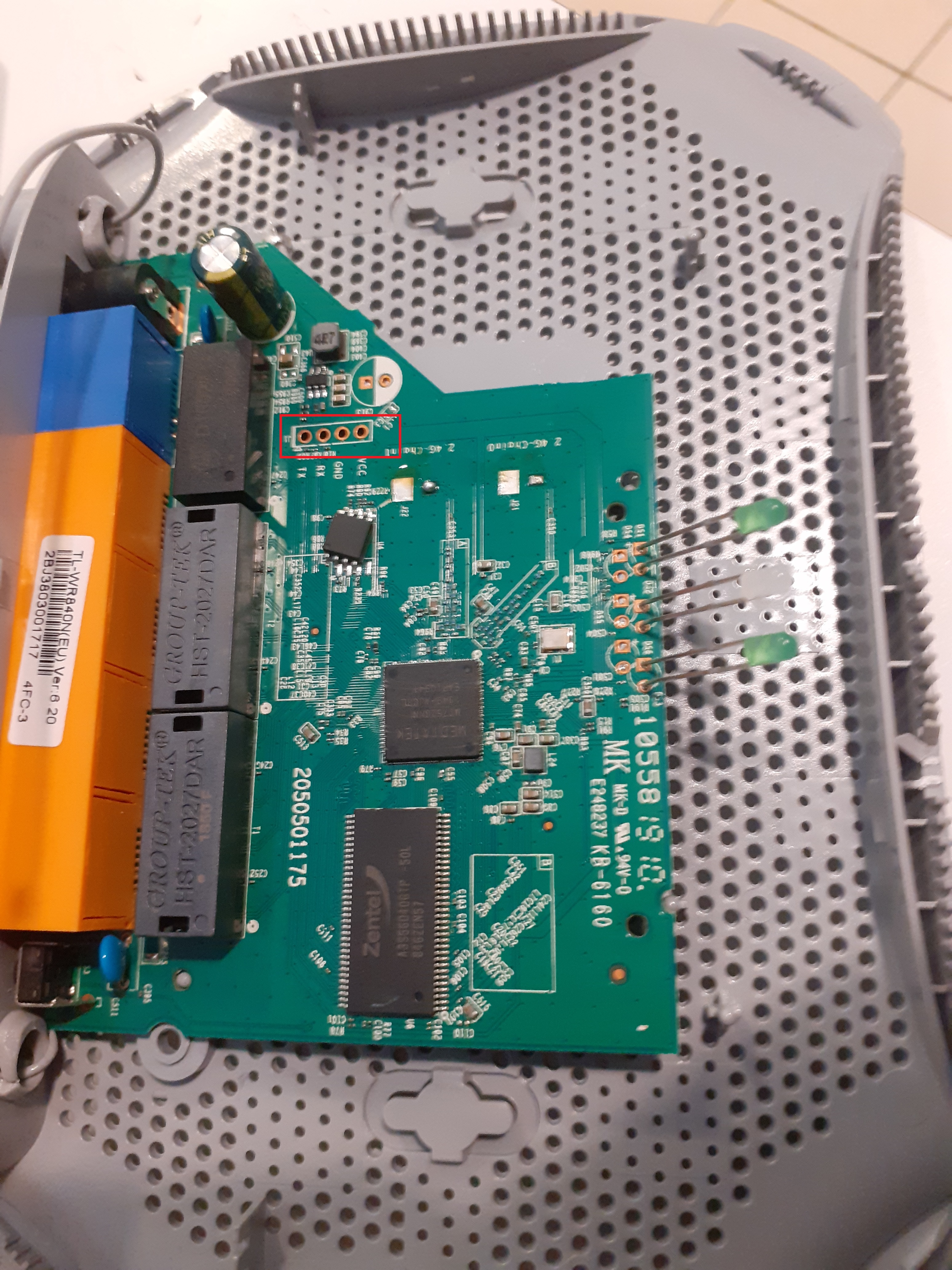
Most of these devices have a serial port for debugging. Connecting to it should be trivial using a USB to UART adapter:
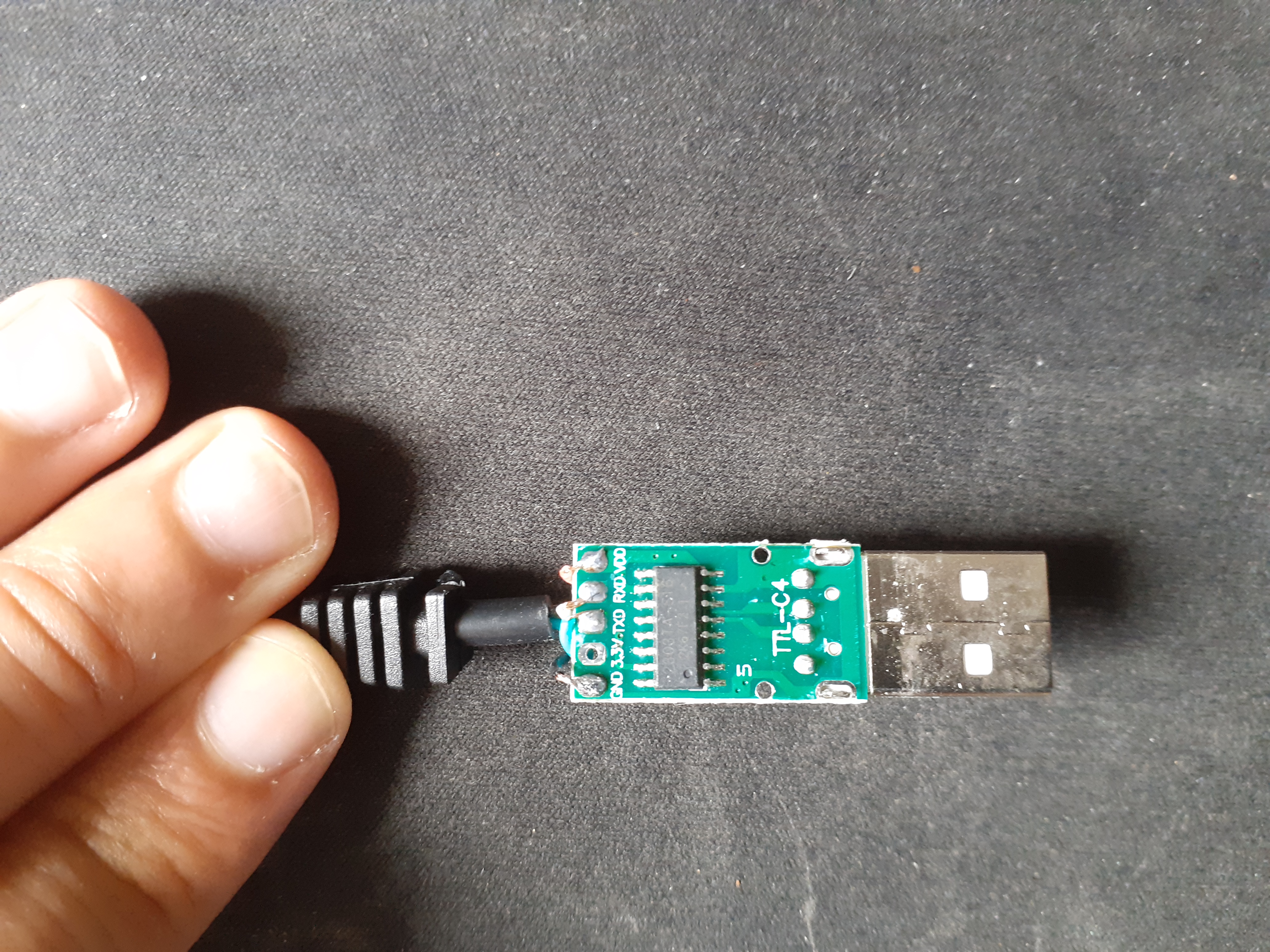
Using this, you could potentially interrupt the boot sequence and enter a low-level shell that would allow you to read the EEPROM chip at different offsets. But I wanted to try something new:
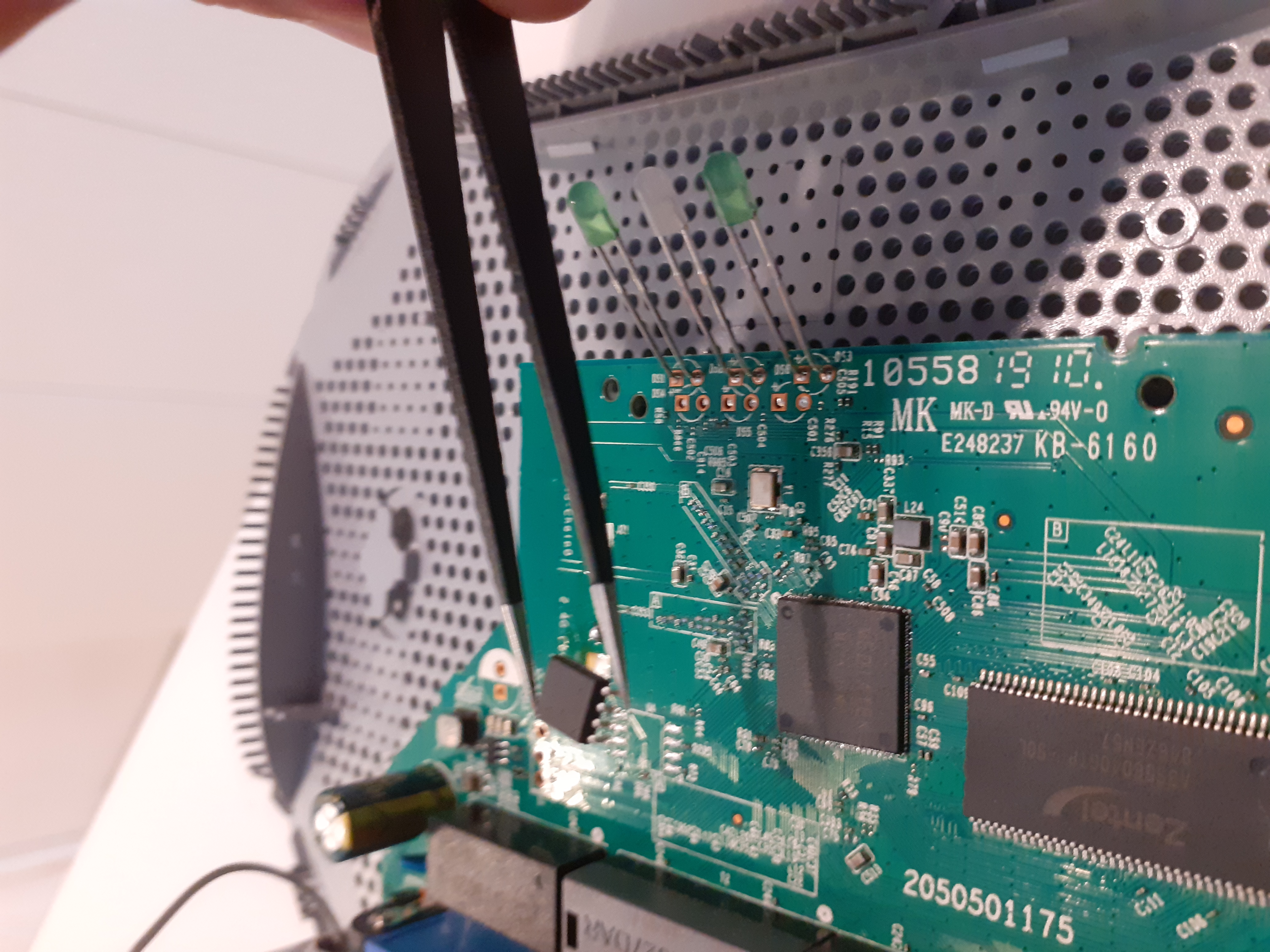
Desoldering the EEPROM that contains the firmware was my way. I had just recently acquired a TL866II+, and wanted to have fun with it! The chip perfectly fits in the 200mm SOP8 adapter:
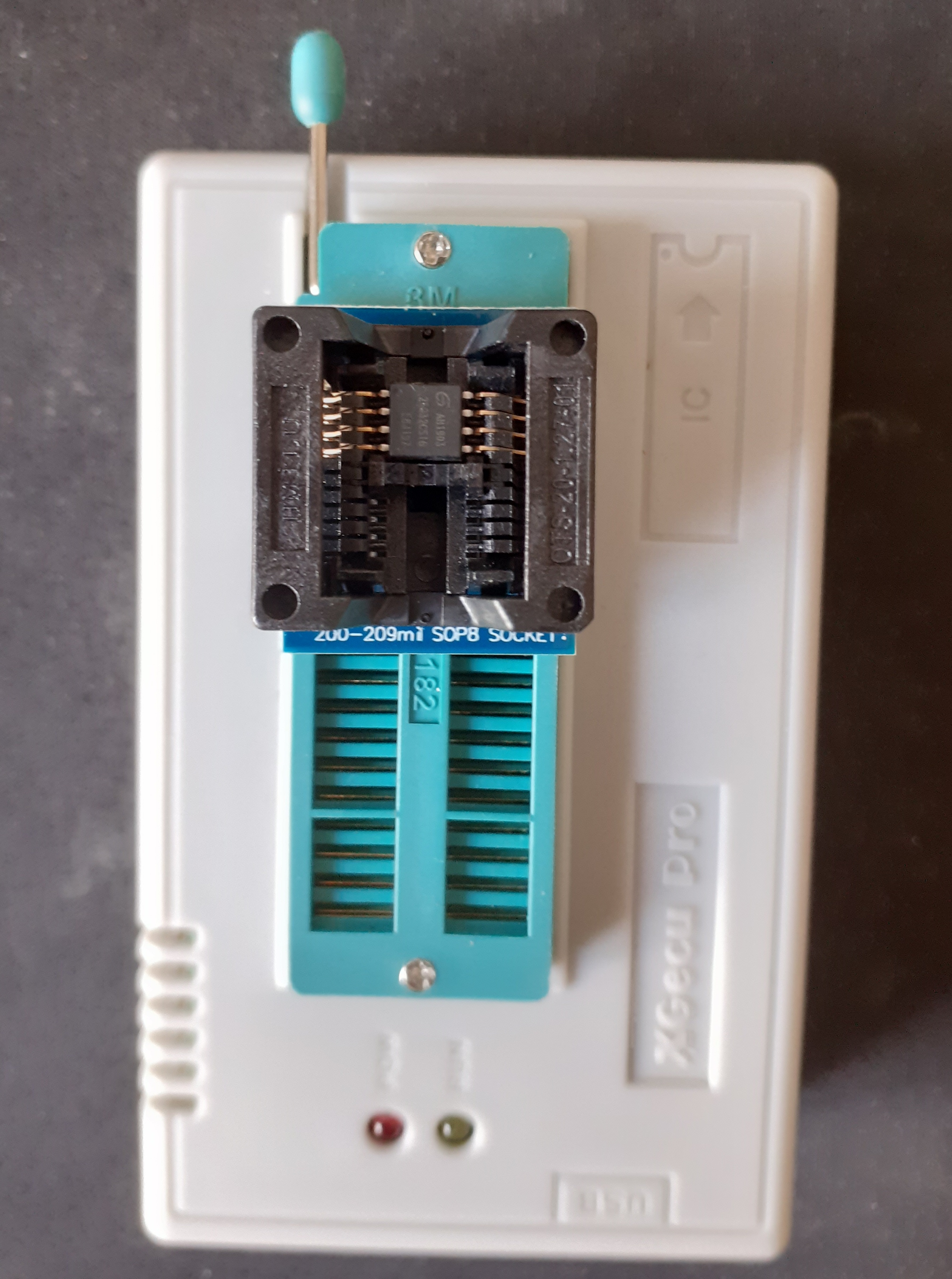
Before being able to read from it, we need to identify which kind of chip it is:
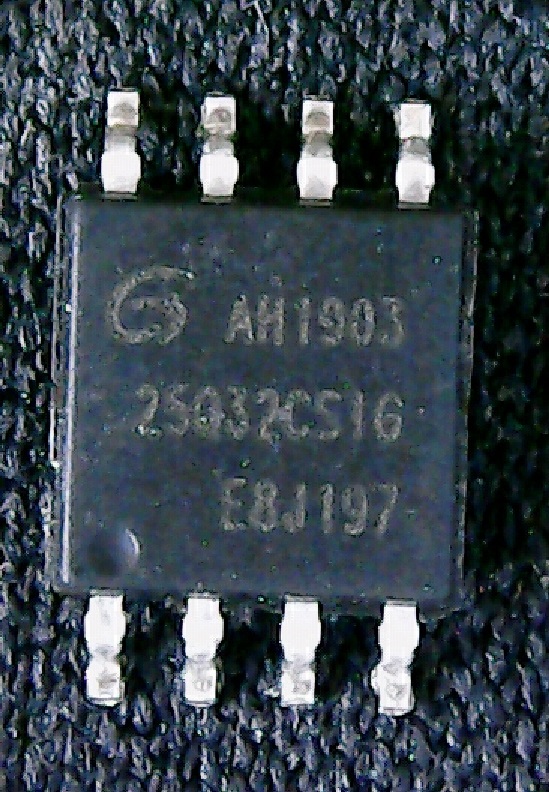
We can read AH1903 25Q32CS1G, and the logo is Giga Device. We then dump the firmware using the Linux fork of the minipro tool:
minipro -p GD25Q32 -r firmware.bin
Found TL866II+ 04.2.86 (0x256)
Chip ID OK: 0xC84016
Reading Code...  6.99Sec  OK
Part 2: Reversing the firmware
The file is 4MB large, and contains the following signatures:
binwalk firmware.bin

DECIMAL       HEXADECIMAL     DESCRIPTION
-----------------------------------------------
53488         0xD0F0          U-Boot version string, "U-Boot 1.1.3 (Jun 14 2018)"
66048         0x10200         LZMA compressed data, properties: 0x5D
1048576       0x100000        Squashfs filesystem, little endian, version 4.0,
                              compression:xz, size: 2955905 bytes, 610 inodes
4063248       0x3E0010        XML document, version: "1.0"
We are mostly interested in the squashfs, as it contains the router's filesystem. All the binaries are compiled for MIPS, the most common architecture for routers.
The /etc folder contains several interesting files. Notably, two encrypted XML files: default_config.xml and reduced_data_model.xml. By searching for these filenames inside the whole squashfs, we get one interesting match: libcmm.so.
Compiled code referencing encrypted files might be actually decrypting them, so we disassemble the shared object library using Ghidra:
int dm_decryptFile(uint param_1, undefined4 param_2, uint param_3, int param_4)
{
  int iVar1;
  char acStack40 [8];
  int local_20;

  memcpy(acStack40, &encryption_key, 8);
  if (param_3 < param_1) {
    cdbg_printf(8, "dm_decryptFile", 0xb83,
      "Buffer exceeded, decrypt buf size is %u, but dm file size is %u",
      param_3, param_1);
    local_20 = 0;
  }
  else {
    local_20 = cen_desMinDo(param_2, param_1, param_4, param_3, acStack40, 0);
    // ...
  }
  return local_20;
}
If that ain't luck... We have all the symbols! The code is copying an 8-byte array in a local buffer (DES key sizes are 7+1 for parity) and calling cen_desMinDo from libcutil.so, a wrapper for DES encryption functions.
We quickly get the results using:
openssl enc -d -des-ecb -nopad -K XXXXXXXXXXXXXXXX -in default_config.xml > default_config_decrypted.xmlIn this XML file, we find loot:
<StorageService>
  <UserAccount instance=1>
    <Enable val=1 />
    <Username val=admin />
    <Password val=admin />
    <X_TP_SupperUser val=1 />
  </UserAccount>
Another interesting thing in the /etc folder: shadow doesn't exist. The passwords are stored the old way, in the passwd file:
admin:$1$$iC.dUsGpxNNJGeOm1dFio/:0:0:root:/:/bin/sh
dropbear:x:500:500:dropbear:/var/dropbear:/bin/sh
nobody:*:0:0:nobody:/:/bin/sh
Let's see what hashcat thinks about this:
hashcat -a 0 -m 500 hash /usr/share/wordlists/rockyou.txt

$1$$iC.dUsGpxNNJGeOm1dFio/:1234

Status...........: Cracked
Hash.Name........: md5crypt, MD5 (Unix)
Time.Started.....: Wed Oct 28 14:10:47 2020 (1 sec)
admin:1234 is the root's password of the router.
Part 3: Dropbear
Another interesting user is dropbear — a lightweight SSH server for embedded systems. By looking for dropbear-related data, we find in libcmm.so the string /var/tmp/dropbear/dropbearpwd. The file doesn't exist in the squashfs, so it must be created during startup:
undefined4 setDropbearLogin(int conf_obj)
{
  // ...
  __stream = fopen("/var/tmp/dropbear/dropbearpwd", "wb+");
  if (__stream != (FILE *)0x0) {
    fprintf(__stream, "username:%s\n", conf_obj + 0x22);
    password = (char *)(conf_obj + 0x32);
    length = strlen(password);
    cen_md5MakeDigest(dest, password, length);
    // ... hex encode the MD5 hash ...
    fprintf(__stream, "password:%s\n", dest);
    fclose(__stream);
  }
  return uVar1;
}
The function opens dropbearpwd, writes the username, hashes the password with MD5 via cen_md5MakeDigest from libcutil.so, and writes the hex-encoded hash.
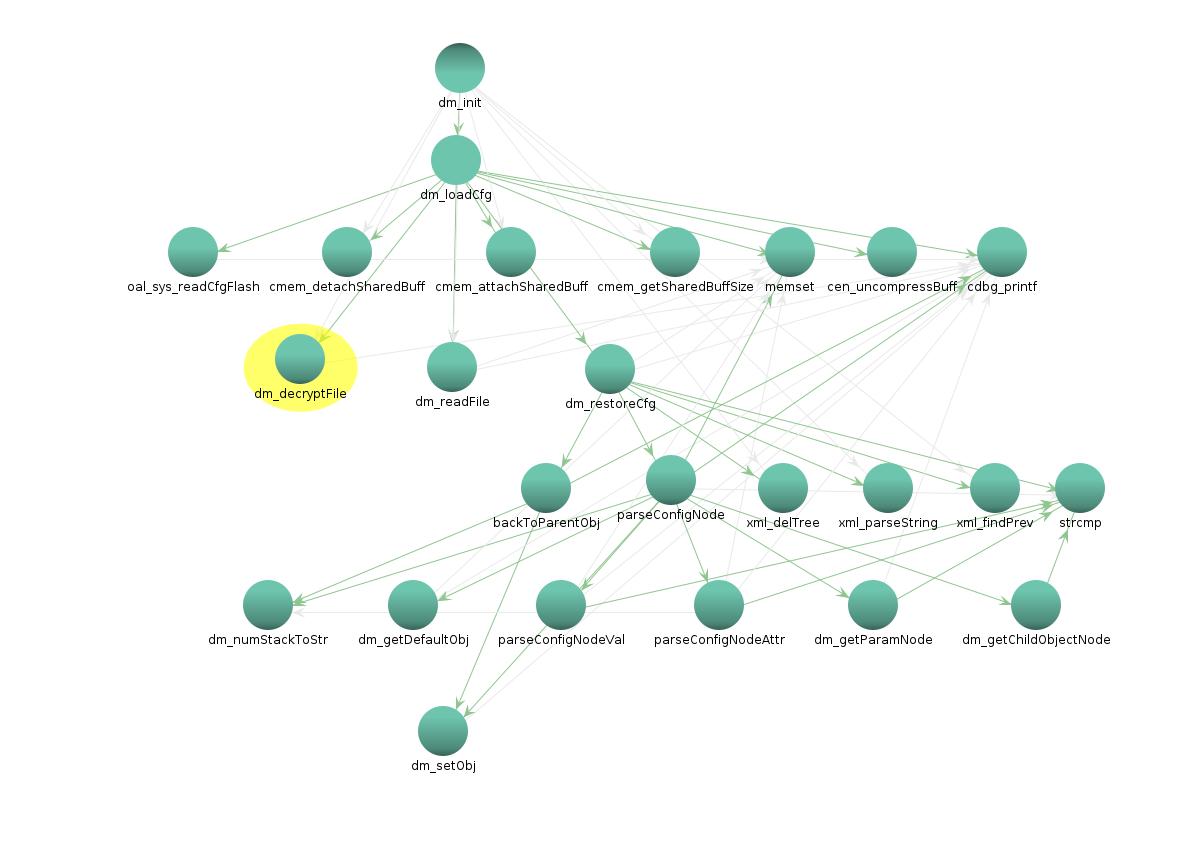
After tracing all calls to dm_setObj (135 cross-references), the credentials come from a global data model populated from the XML configuration file we decrypted earlier:
Part 4: Command injections
This all starts with the prominent use of system(), which is widely discouraged. But system itself is not the problem — it is the util_execSystem function that relies on it, and that function has 495 cross-references throughout the code.
  memset(command_line, 0, 0x200);
  iVar1 = vsnprintf(command_line, 0x1ff, cmd, &local_res8);
  // No sanitization whatsoever
  if (0 < iVar1) {
    do {
      local_22c = system(command_line);
      // ...
    } while (waitpid);
The buffer is zeroed, then snprintf'd from the command passed as parameter, and straight from there — with no sanitization — passed to system().
Here is a good example of a potentially injectable situation:
void oal_ipt_addBridgeIsolationRules(undefined4 param_1)
{
  util_execSystem("oal_ipt_addBridgeIsolationRules",
    "iptables -t filter -I BRIDGE_ISOLATION -i br+ -o %s -j DROP", param_1);
param_1 could contain the name of a network interface entered from the web interface. While being directly concatenated, it could contain executable bash code to gain root on the device.
Part 5: Going further
There is no real conclusion to draw from this study. I bought this router mostly to have fun with it and that's exactly what I did. Passwords are weak, firmware is not encrypted, and so on — but you get what you pay for.
Many things are left unchecked:
- What is before the bootloader? (part of it seems to contain hardware configuration)
- Kernel is 2.6 — is there some TP-Link proprietary additions to it?
- Module tp_domain.ko tries to contact dead domains: tplinklogin.net — why?
- Find an exploitable command injection using
util_execSystem
A little while after writing this article, I stumbled upon Pierre Kim's blog, which shows very similar vulnerabilities. I suspect the code is significantly similar.
We contacted TP-Link and created CVE-2020-36178 related to the command injection issue. A specific mention to TP-Link's security team is deserved — they are very serious and quick to respond.
References
- Recovering TP-Link default config
- TL866II+ programmer
- Pierre Kim — TP-Link C2 and C20i vulnerabilities
Stay classy netsecurios.
Need a security audit or tailored cybersecurity support?
Explore our services →